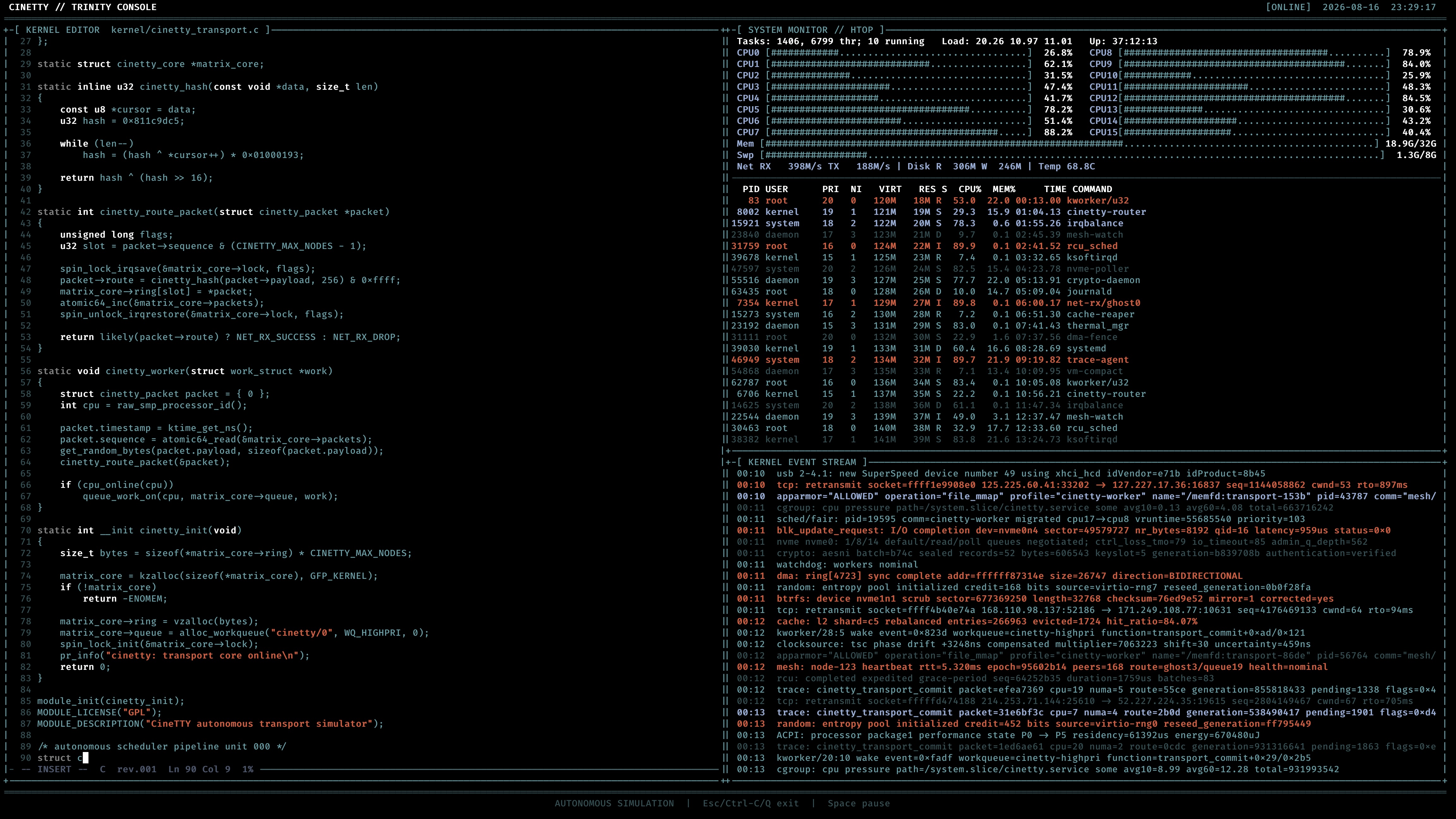
I recently built a little toy with almost no practical purpose, but it makes a computer look as if it is doing something extremely important: CineTTY. It automatically types C code, updates system metrics, and scrolls kernel events to create a cinematic hacker-workstation effect.
Everything on screen is simulated. CineTTY never compiles the displayed code, scans a network, or changes the system.
Origin
The project originated while I was filming promotional videos with friends. Several shots needed to suggest an engineer or hacker at work, with source code, system information, and rapidly scrolling text on screen.
We tried online tools, including the classic cmatrix. Its falling green characters are instantly recognizable, but the effect was too simple for a busy engineering workstation. More elaborate macOS tools existed, but some required extra runtimes, packages, or terminal libraries and were inconvenient to use across platforms.
I wanted something that installed easily, started with one command, and looked consistent on Linux, macOS, and Windows.
CineTTY draws three panels inside one screen rather than creating real tmux panes:
- An automatically typing C editor on the left.
- An htop-style system monitor at the upper right.
- A continuously scrolling kernel event stream at the lower right.
The earliest prototype included Matrix rain and an interactive console. I replaced both with an autonomous display: run cinetty, and it continues like a workstation in the middle of a build, debugging session, or system incident.
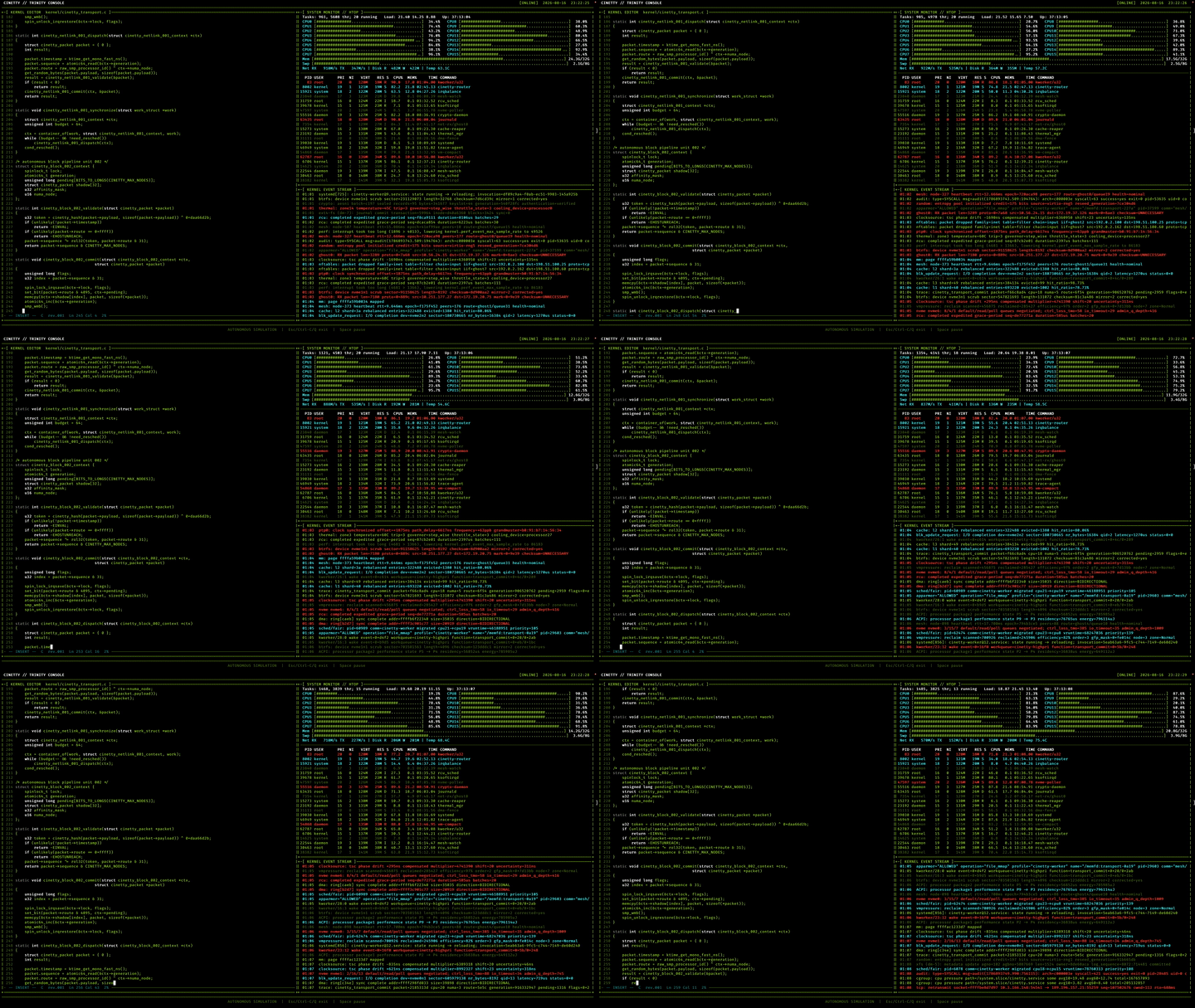
Features
A self-typing C editor
The left panel simulates a Linux kernel-style C editor with line numbers, syntax colors, a cursor, revision information, and progress. CineTTY generates fictional code using familiar concepts such as schedulers, memory, IRQs, DMA, and networking, but never compiles or executes it.
To avoid a short repeating animation, the generated source is at least 100 times longer than the original preamble and rolls for well over an hour at the default speed.
A dense htop-style monitor
The upper-right panel imitates a dense htop display with:
- Per-core CPU meters
- Memory and swap usage
- Tasks, threads, load averages, and uptime
- Network traffic, disk I/O, and temperature
- A continuously changing process table
The layout adapts to the terminal and fills the available panel. It requires at least 70 × 22; below that size, CineTTY displays a resize message.
A fast kernel event stream
The lower-right panel generates fictional events involving IRQs, schedulers, network packets, NVMe, filesystems, DMA, and systemd. Message lengths and types vary, and CineTTY never runs dmesg or reads real logs.
Installation
The easiest method is Homebrew, followed by cinetty:
| |
The formula supports macOS and Linux. Alternatively, the installer downloads the correct release, verifies its SHA-256 checksum, and places it in ~/.local/bin:
| |
With Go 1.22 or newer, install from source:
| |
Windows users can download cinetty_windows_amd64.zip from the latest GitHub release.
Controls
CineTTY runs autonomously and keeps only a few controls:
Spacepauses or resumes the display.Q,Esc, orCtrl-Cexits CineTTY.
Green, Cyan, and Amber themes are available, along with adjustable typing speed and frame rate:
| |
-speed accepts 0.2 to 5.0, while -fps accepts 10 to 60.
Why Go?
The earliest prototype was written in Python, but I wanted users to download one file and run it without extra runtimes or packages. I rewrote CineTTY in Go using only the standard library. The result is a single native executable with no runtime dependency on Go or third-party modules; ANSI escape sequences and platform terminal APIs handle rendering and input.
Releases currently include:
- Linux x86-64 and ARM64
- macOS Intel and Apple Silicon
- Windows x86-64
Conclusion
CineTTY is not a real monitor or editor, but it still behaves like a complete tool: it installs with one command, runs across platforms, adapts to terminal size, and restores the original screen when it exits. It works well for filming, demo backgrounds, or simply making a terminal feel cinematic for a while.
The source is available under the MIT License. Feel free to try it, report a problem, or help add even more needlessly dramatic effects: